
GuidesCafe
No Result
View All Result
GuidesCafe
No Result
View All Result
GuidesCafe
No Result
View All Result
Home Tech Guides

How to Open a PalmPay Account Without BVN in Nigeria

Ebeh Christopher by Ebeh Christopher
1 year ago
in Tech Guides
How to Open a Palmpay Account without BVN

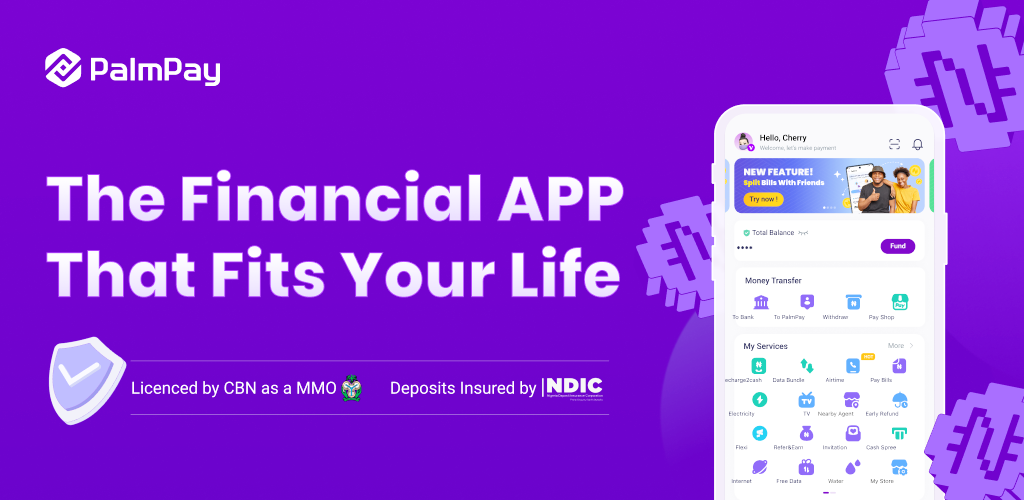
Image By Palmpay

Share on FacebookShare on Twitter

RelatedTopics

GTBank BVN Linking

How to link BVN to GTBank in Nigeria

1 year ago
Palmpay USSD Code 1024x576 1

PalmPay USSD Code to Transfer funds, Check Balance, Buy Airtime, Data and more…

1 year ago
How to Check BVN using glo Ussd Code in Nigeria

How to Check BVN Using Glo USSD Code in Nigeria

2 years ago

Opening a PalmPay account in Nigeria is a straightforward process that allows you to access digital banking services without needing a Bank Verification Number (BVN). This guide will walk you through the steps on how to Open a PalmPay Account Without BVN and the limitations you might face if you choose not to link your BVN.

Introduction: Why Choose PalmPay?

PalmPay is a popular digital banking app in Nigeria, offering various financial services, including money transfers, bill payments, and airtime purchases. With the increasing demand for cashless transactions and mobile banking, PalmPay has become a go-to platform for many Nigerians. However, some users might be hesitant to link their BVN due to privacy concerns or other reasons.

Step-by-Step Guide on how to Open a PalmPay Account Without BVN

  1. Download the PalmPay App:
    • Visit the Google Play Store or Apple App Store.
    • Search for ā€œPalmPayā€ and download the app.
  2. Launch the App and Register:
    • Open the PalmPay app and tap on the ā€œSign Upā€ button.
    • Enter your phone number, create a strong password, and follow the on-screen instructions to complete your registration.
  3. Complete Basic Profile Information:
    • Provide your full name, email address, and other basic details.
    • You’ll be prompted to provide your BVN, but this step is optional.
  4. Skip BVN Verification:
    • If you choose not to link your BVN, you can still use PalmPay, but with some limitations (discussed below).
  5. Finalize Account Setup:
    • After skipping the BVN verification, you can start using your PalmPay account for basic transactions.
DONT MISS:  PalmPay USSD Code to Transfer funds, Check Balance, Buy Airtime, Data and more...

Limitations of Using PalmPay Without BVN

While it’s possible to open and use a PalmPay account without a BVN, there are several restrictions:

  • Transaction Limits: You can only receive up to ₦50,000 per transaction and hold a maximum of ₦300,000 in your account. If you exceed these limits, your account may be temporarily blocked until you link your BVN.
  • Restricted Features: Without a BVN, you won’t have access to some of PalmPay’s features, such as higher transaction limits, cashback rewards, or premium services like loan applications.
  • Security Concerns: Linking your BVN adds an extra layer of security to your account, helping to prevent unauthorized access and potential fraud.

Why You Might Consider Linking Your BVN

Although using PalmPay without a BVN is feasible, linking your BVN comes with significant benefits:

  • Enhanced Security: Your BVN is a unique identifier that helps protect your account from fraud and unauthorized access.
  • Access to Full Features: With a verified BVN, you can enjoy unrestricted access to all of PalmPay’s services, including higher transaction limits and more secure transactions.

Conclusion how to Open a PalmPay Account Without BVN

Opening a PalmPay account without BVN is a practical option for users who want basic access to digital banking services. However, to fully leverage the benefits of PalmPay, including enhanced security and additional features, it’s advisable to link your BVN. Whether you choose to link your BVN or not, PalmPay remains a robust platform for managing your financial transactions in Nigeria.

DONT MISS:  How to link BVN to GTBank in Nigeria

Tags: BVNPalmpay

Don’t want to miss the best from GuidesCafe?

  • Set us as a favorite source in Google Discover to see our latest updates first.
  • You can also add us as a preferred source in Google Search by clicking the button below.
G Add as a preferred source on Google
Previous Post

How to easily Change SRD Phone Number Without Application ID

Next Post

PalmPay USSD Code to Transfer funds, Check Balance, Buy Airtime, Data and more…

Ebeh Christopher

Ebeh Christopher

I’m a Computer Science graduate, Web Developer, and Digital Marketer with over 14 years of experience creating easy-to-follow guides for students and learners. On GuidesCafe, I share step-by-step tutorials, exam tips, and educational updates like NYSC news, JAMB results, and scholarship opportunities to help readers make smarter academic and digital decisions.

Latest Posts

NYSCSaysitisReadytoFullyIncludeCorpsMembersWithDisabilities
Breaking News

NYSC Says it is Ready to Fully Include Corps Members With Disabilities

January 14, 2026

The National Youth Service Corps has announced that it is ready to formally include corps members with disabilities in the...

Read moreDetails
How to Create Your JAMB Profile

How to Create Your JAMB Profile

January 14, 2026
JAMBisAroundtheCorner HereAre3ThingsEveryCandidateMustPutinPlace

JAMB is Around the Corner: Here Are 3 Things Every Candidate Must Put in Place

January 13, 2026
NigeriaBoardingSchoolStudents

Is Sending Your Child to Boarding School Still Worth It in 2026? The Honest Answer Nigerian Parents Need

January 13, 2026
7provenwaystoimproveyourreadingskillsinschool28thatactuallywork292402479015324742071

7 Proven Ways to Improve Your Reading Skills in School (That Actually Work)

January 13, 2026
10budget friendlyphoneswithgoodcamerasin20268817263450185505317

10 Budget-Friendly Phones With Good Cameras in 2026

January 12, 2026
fgtointroduceuniqueidforwaecandnecocandidates whatitmeansforstudents6651812222988755526

FG to Introduce Unique ID for WAEC and NECO Candidates: What It Means for Students

January 6, 2026
HowtoCheckSpotifyWrapped2025 CompleteGuidewithNewFeatures

How to Check Spotify Wrapped 2025: Complete Guide with New Features

December 4, 2025
InfinixHot60iReview IsThisPhoneWorthYourMoneyin2026

Infinix Hot 60i Review: Is This Phone Worth Your Money in 2026?

December 2, 2025
Photo Credits: TechTokWithDee YT

Tecno Spark 30C Review: What This Budget Phone Actually Delivers in Nigeria

December 2, 2025
Load More
Next Post
Palmpay USSD Code 1024x576 1

PalmPay USSD Code to Transfer funds, Check Balance, Buy Airtime, Data and more...

Top Fintech Apps for Freelancers 1122x631 1

Top Fintech Apps for Freelancers in Nigeria

Leave a Reply Cancel reply

Your email address will not be published. Required fields are marked *

Ā© 2024 - 2025. This Website was Designed by Ebeh Christopher | GuidesCafe is part of NextFrame Publishing Group.

Site Navigation

  • Home
  • About Us
  • Contact Us
  • Terms Of Use
  • Privacy Policy

Follow Us

No Result
View All Result
  • Home
  • Breaking News
  • Top Posts
  • Tech Guides
    • AI Productivity Tools
    • Android Tips & Tricks
    • Computers
    • Gaming Tips and Tricks
    • iPhone Tips & Tricks
    • Networks & Internet
    • Phones & Gadgets
    • Social Media Guides
  • Educational Guides
    • Universities
    • Polytechnics
    • JAMB
    • NYSC
    • WAEC
    • NECO
  • Job Guides
  • Our Informations
    • Contact Us
    • About Us
    • Privacy Policy
    • Terms Of Use

Ā© 2024 - 2025. This Website was Designed by Ebeh Christopher | GuidesCafe is part of NextFrame Publishing Group.