If your phone just went missing, do the two things in the box above and read the rest after. The first hour matters more than everything else combined, and not because of the phone. It’s because of what’s inside it.
The IMEI Myth, Cleared Up
Almost every article on this subject tells you the IMEI number will help you track your phone. It won’t, and believing it costs people time they don’t have.
Here’s what’s actually true. Your IMEI is a 15-digit serial number for the handset itself. There is no app, website or service that lets an ordinary person type in an IMEI and see a location on a map. Anything advertising that is a scam, and there are plenty of them targeting exactly this moment of panic.
What the IMEI genuinely does is get the device blacklisted. Report it to your network with a police report and the handset gets flagged, which means it stops working on the network even when someone puts a different SIM in it. That’s real and it’s worth doing, but it’s blocking, not finding.
Find your IMEI by dialling *#06#. It appears on screen instantly. It’s also on the box, in Settings under About Phone, and often printed on the SIM tray. Do this today, while you still have the phone, and save it somewhere that isn’t the phone.
Nigeria Now Has a National Blacklist
This is genuinely new and most guides haven’t caught up with it.
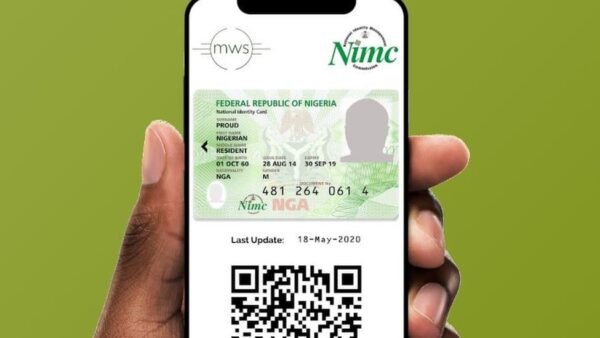
The NCC has built a Device Management System, a Central Equipment Identity Register that all Nigerian mobile operators are required to connect to. When an IMEI is reported stolen, it gets blacklisted and shared across every network, so the handset can’t latch onto MTN, Airtel, Glo or T2 regardless of which SIM goes in.
Registered phone repairers are meant to be able to check IMEI status too, which makes a stolen phone harder to resell or service.
The honest caveat: the NCC has said implementation is gradual, and it has been in development for years. Don’t assume the block is instant or complete. Report it anyway, because it costs you nothing and it’s the only mechanism that makes stealing your phone unprofitable.
Android: Find My Device
Go to google.com/android/find from any browser and sign in with the Google account on the missing phone.
You get three options:
- Play Sound rings it at full volume for five minutes even if it’s on silent. This is the one that actually finds phones lost in the house or in a car.
- Secure Device locks it, signs out of your Google account, and lets you display a message and callback number on the lock screen.
- Erase Device wipes everything. Use it last, because once wiped you can no longer track it.
The big improvement worth knowing about: Find My Device now works as a crowdsourced network. Other Android phones nearby can anonymously report your device’s location over Bluetooth, which means it can be found even when it’s offline with no data. On some newer models it works even when the phone is powered off. This is a genuine upgrade over the old version, which only worked if the phone had internet.
iPhone: Find My
Go to icloud.com/find and sign in with the Apple Account used on the iPhone, or use the Find My app on another Apple device.
- Play Sound makes it chime even on silent.
- Mark As Lost locks the phone, suspends payment cards, and shows a message with your contact number.
- Erase iPhone wipes it. Note that Activation Lock stays on afterwards, meaning the thief still can’t set it up as their own.
Apple’s version has had offline finding for years, using the Bluetooth signal of other Apple devices, and recent iPhones can be located for a period even after being switched off. Activation Lock is the strongest single deterrent on any phone: without your Apple Account password, a stolen iPhone is close to worthless.
The Part About Your Money
Losing the phone is annoying. Losing what’s on it is the expensive part, and in Nigeria that means your banking apps, your OPay or PalmPay wallet, and your WhatsApp.
- Freeze your fintech wallets. Dial *955*131# from any phone to freeze OPay. Our full OPay blocking guide covers the prompts, and the same urgency applies to PalmPay, Moniepoint and Kuda.
- Block your bank cards and account. Every Nigerian bank has its own emergency USSD code, and they are not the same. Our guide on what to do when your card goes missing has the code for each bank.
- Block the SIM. Call your network and report the line stolen. Your SIM receives the OTPs that authorise transactions everywhere else, so this matters even if the phone itself is locked.
- Secure WhatsApp. Reregister your number on another phone to sign the thief out, then turn on two-step verification. Asking your contacts for money in your name is the standard next move after a phone theft, and it works because it looks like you.
Do these before you spend an hour refreshing a map. The phone might be gone. Your money doesn’t have to be.
Reporting It Properly
- Your network operator. Ask for the line barred, a replacement SIM with the same number, and the IMEI blacklisted. Get a reference number.
- The police. Bring your IMEI and proof of purchase if you have it. Ask for an extract or report, since networks and insurers ask for it.
- Your insurer, if the phone is covered.
Now the important part, and it’s not a formality.
Never go to the location yourself. Find My Device will show you a spot on a map. That map does not tell you who is there, how many of them there are, or what they’re carrying. People have been badly hurt and killed in Nigeria walking into that situation over a phone. If the location looks credible, give it to the police and let them handle it. A phone is replaceable.
Turn On the Features That Stop This Next Time
Both platforms have added serious anti-theft tools recently, and almost nobody switches them on.
Android
On recent versions, look under Settings for Theft protection:
- Theft Detection Lock uses motion sensors to recognise the pattern of a phone being snatched from your hand, and locks the screen automatically.
- Offline Device Lock locks the screen if the phone goes offline for an extended period, which is the first thing a thief does.
- Remote Lock lets you lock the screen using just your phone number and a security challenge, so you can act immediately without hunting for your Google password.
iPhone
Turn on Stolen Device Protection under Settings, Face ID & Passcode. When your iPhone is away from familiar locations, sensitive actions like changing your Apple Account password require Face ID or Touch ID with no passcode fallback, and add a one-hour delay. That closes the gap where someone who watched you type your passcode could lock you out of your own account within minutes.
Both
- Use a strong screen lock and biometrics, and don’t type your passcode in public where it can be watched.
- Keep location services on. Tracking cannot work without it.
- Save your IMEI somewhere physical.
- Back up regularly, so a lost phone is an inconvenience rather than a disaster. Our WhatsApp backup guide covers the messages side.
- Lock your banking apps behind a fingerprint separately from your screen lock.
A few broader phone security habits are worth reading if you run money or business from your phone.
What About Third-Party Tracking Apps?
Older guides push apps like Cerberus and Prey Anti Theft. They’re less necessary than they used to be.
Find My Device and Find My are built in, free, running already, and now include offline Bluetooth finding that most third-party apps can’t match. The main thing a paid app adds is extras like snapping a photo of whoever is using the phone.
Two warnings if you go looking anyway. Anything that has to be installed beforehand is useless to you right now if your phone is already gone. And the app stores are full of “IMEI tracker” apps that do nothing except take your money and your data. If an app promises to locate a phone from an IMEI alone, it’s lying.
Social Media Helps More Than You’d Think
Post in your local WhatsApp groups, estate or neighbourhood groups, and on X. Include the phone model, colour, and where it went missing.
Don’t post your IMEI publicly. It’s tied to your device and there’s no upside to broadcasting it. Give it to the police and your network only.
Phones recovered this way are usually the misplaced ones rather than the stolen ones, but it costs nothing and honest people do return phones.
Lock the phone remotely, freeze your money, block the SIM, then report the IMEI. If you’re reading this before anything has happened, do one thing today: dial *#06#, write the number down somewhere that isn’t your phone, and switch on the theft protection settings above. That’s the difference between a bad afternoon and a genuinely expensive month.