USSD codes have revolutionized the way we interact with our mobile devices.
These short codes allow users to access various services without the need for an internet connection, making them highly accessible, Fast, Easy and very convenient, this is why Opay introduce their USSD Codes just like all the Traditional Nigeria Banks have Thier Own USSD Services.
How to Get Started
To be able to use these Services Such as the Opay USSD Codes and their other mouth watering features on The Mobile App, You Must Be an Opay User and must have an Existing Account,
To Register Via Mobile App
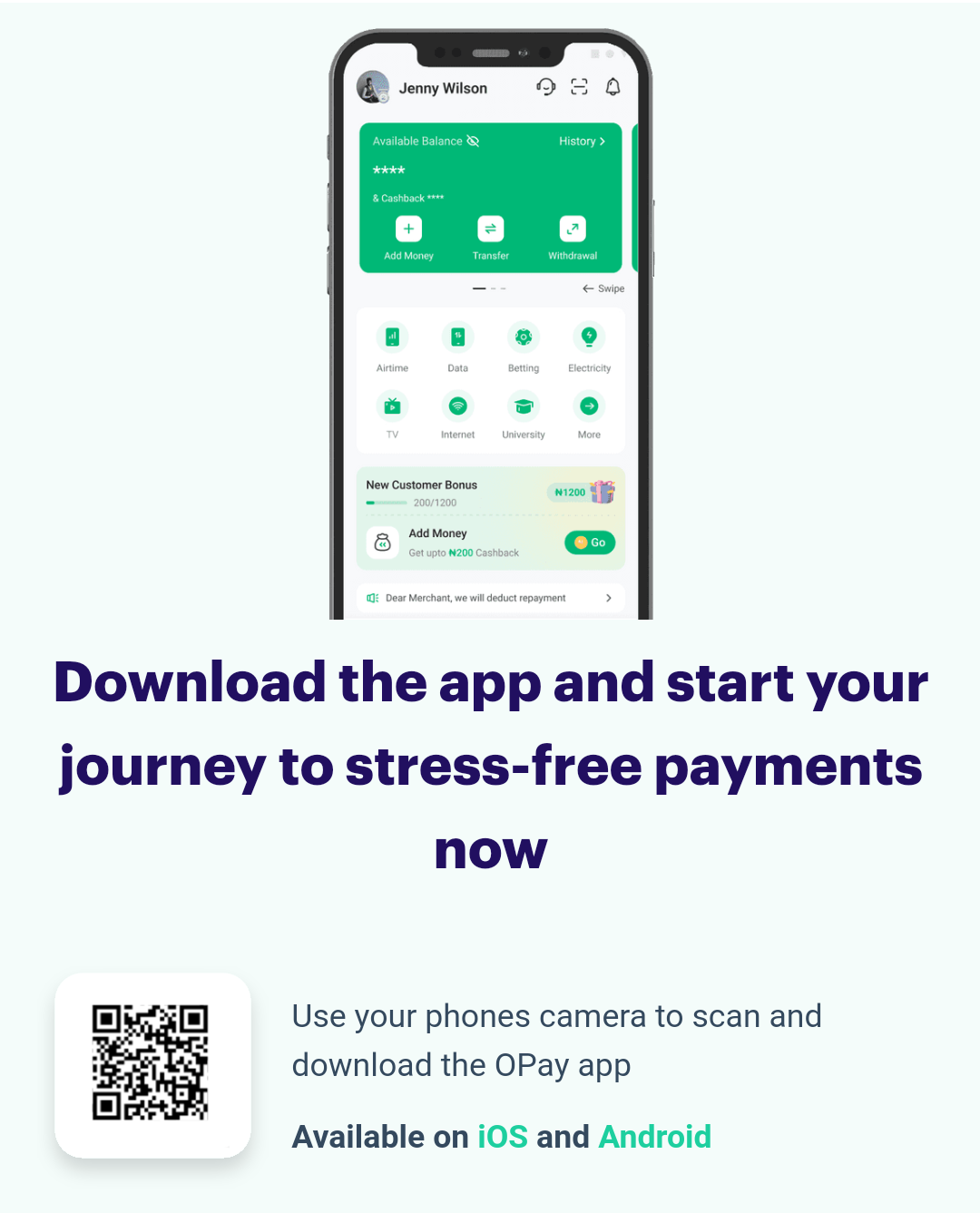
Incase you don’t have an account with them yet Click Here To Download and Register On Thier App or Use The USSD Method below 👇
To Register Via Opay USSD Code
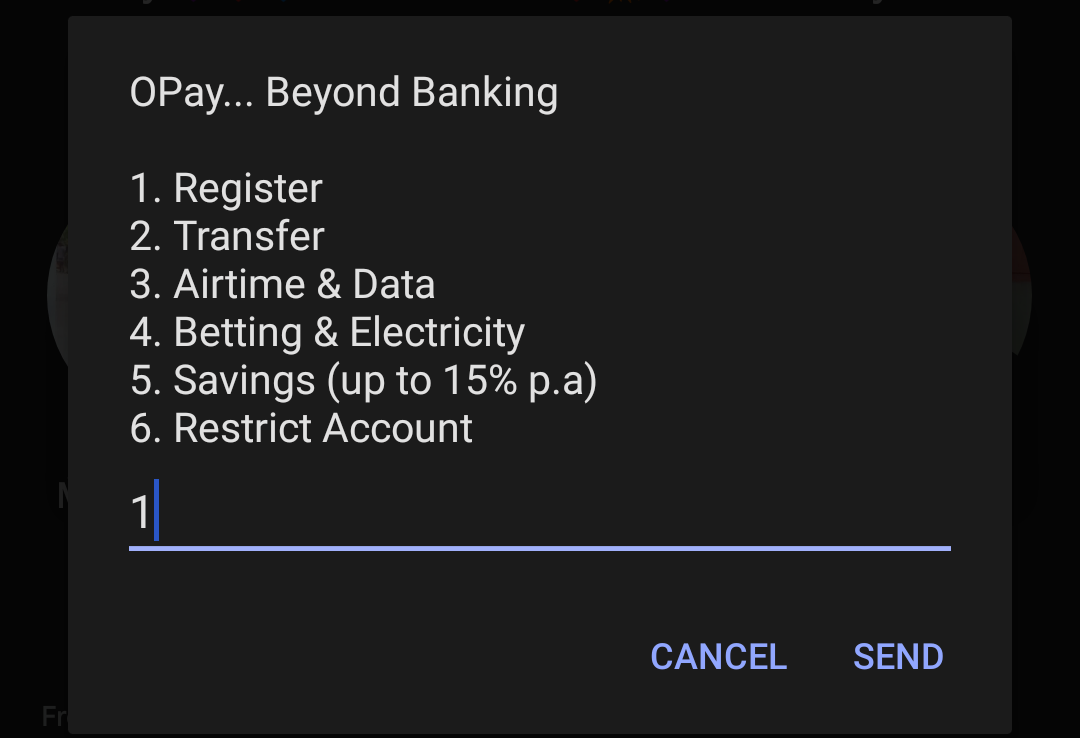
- Dial *955# on your Mobile Phone.
- Press 1 and Follow the on-screen prompts to register for an Opay account.
- Provide the required informations, including your name, phone number, and email address.
- Set a secure PIN for your Opay account.
Once you’ve completed the registration process, you’re ready to Use Opay USSD codes and all Their Mobile App Features As Well
Using Opay USSD Code
Opay USSD codes empower you to perform a variety of financial transactions quickly and securely. Below is a breakdown of some of the common tasks you can carry out using the USSD Codes
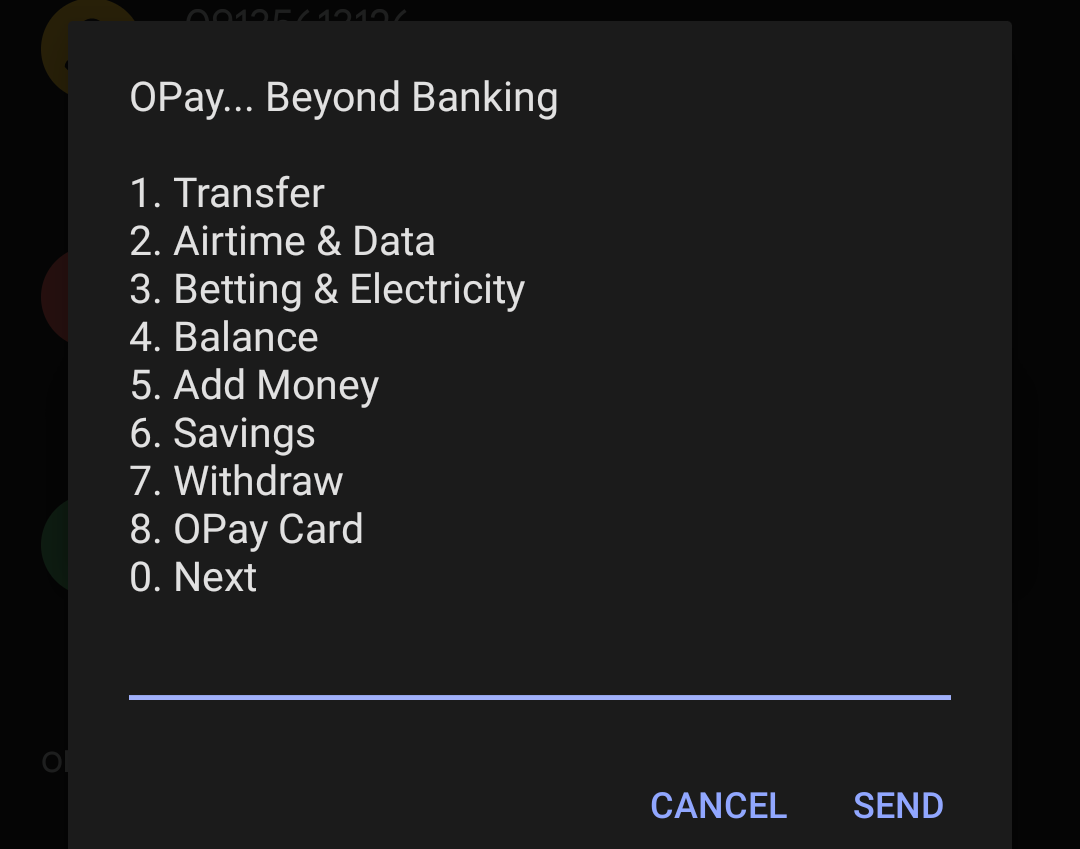
• Check Balance Inquiry with Opay USSD Code
- To check your Opay account balance, dial *955# and select the “Check Balance” option.
- You will receive a text message with your current balance.
• Airtime Top-up with Opay USSD Code
- Need to recharge your mobile phone? Dial *955# and choose the “Airtime Top-up” option.
- Follow the prompts to enter the amount and the recipient’s phone number.
- Confirm the transaction, and you’re good to go!
Funds Transfer Using Opay USSD Code
- To send money to another Opay user, dial *955# and select “Funds Transfer“.
- Enter the recipient’s phone number and the amount you wish to send.
- Confirm the transaction by entering your PIN.
Bill Payments on Opay USSD Code
- Pay your utility bills conveniently using Opay USSD codes.
- Dial *955# and choose the “Bill Payments” option.
- Follow the prompts to select the bill you want to pay and enter the required details.
Advanced Features on Opay USSD Code
Opay USSD codes offer more than just the basics transactional services. It also has more advanced services Aswell.
Here are some advanced features it can be Used for:
Savings and Investments
1. Opay allows you to save money and invest in various financial products.
2. Dial *955# and navigate to the “Savings” or “Investments” section to get started.
Loan Requests
- In need of a quick loan? Opay provides loan services through USSD too.
- Dial *955# and follow the instructions to apply for a loan.
Mini-Statement
- Want to review your recent transactions? Dial *955# and select “Mini-Statement.”
- You’ll receive your Mini-statement
List Of All Opay USSD Code 2024

- Transfer Funds to Other Banks – *955*2*Amount*Account number#
- Transfer Funds to Opay Account – *955*1*Amount*Account number#
- Recharge Airtime for Self – *955*3*Amount#
- Recharge Airtime for Others – *955*3*Amount*Phone Number#
- Data Purchase – *955*4*Phone Number#
- Check Balance – *955*0#
- Betting Funding – *955*5#
- Electricity Payment – *955*6#
- Get OTP – *955*010#
- ATM Card Activation – *955*03121#
The List 👆 Above Shows Opay Services and Thier Corresponding USSD Codes, I’ll illustrate more on how to use them properly below 👇
Opay USSD Code for Transfer
If you want to transfer Money To someone you simply need to follow the guidelines below for Both Inbound Transfer which is from Opay to Opay Fund Transfer or Outbound Transfer which is From Opay to another Bank like Union Bank, FirstBank, Zenith Bank and the likes.
Inbound Transfer – Opay to Opay
To Transfer Money to another Opay account you need to Dial *955*1*Amount*Opay Account Number#,
For example, if the Opay account number is 9012345678 and you want to Send ₦50,000, Then what you should dial is *955*1*50000*9012345678# you’ll get a prompt to Insert your Opay pin, Type it in to Complete the Transfer.
Outbound Transfer – From Opay to Other Banks
To Transfer Money from your Opay account you need to dial *955*2*Amount*Bank Account Number#,
if the Bank account number is 0012345678 and you want to Send ₦20,000, Then what you should dial is *955*2*20000*0012345678# you’ll get a prompt to Insert your Opay pin, Type it in to Complete the Transfer.
Opay USSD Code for Airtime Recharge
To Recharge Airtime on from your Opay account using USSD Code follow the steps below for both Self Recharge or third party recharge.
Self Recharge
To Recharge Airtime for yourself using your Opay just dial *955*3*Amount#,
For Example, if your amount is ₦500, then just dial *955*3*500#.
Third Party Recharge
To Recharge Airtime for another Phone number using your Opay just dial *955*3*Amount*phone number#,
For Example, if your amount is ₦500 and Phone number is 09123456789, then just dial *955*3*500*09123456789#, then Input Your Opay Pin to complete the Recharge.
Opay USSD Code for Data
If you want to recharge data from your Opay directly to your SIM, follow the steps below.
Data Recharge
To recharge data Straight from your Opay dial *955*4*Phone Number# then Choose the data amount you want to buy then confirm by entering your Opay Pin e.g *955*4*09123456789# then enters Amount and confirm with PIN.
Opay USSD Code To Check Balance
If you want to check your Opay bank Account Balance simply dial *955*0# After that your account balance will be Displayed to your instantly on your Screen or Baring any change your balance will then be sent to your Phone as a Text Message.
Opay USSD Code for Funding Wallet
To fund your Opay wallet dial *955*5# or dial *955# then select “Add Money” then follow the prompts to complete the process.

Opay USSD Code for Withdrawal
To withdraw with your USSD meet an Opay Agent then dial *955*7# or *955# and choose “Withdraw” then input the Agent’s Phone number, Provide your PIN then proceed.
Opay USSD Codes for Betting Funding
To fund your betting account with Opay dial *955# then select “Betting” then follow prompts to proceed.
Opay USSD Code for MTN
If you’re an MTN user and want to access all the Opay services such as Funds transfer, Airtime Recharge, Data Recharge, Betting Funding, Electricity Payment and even more advanced services the code you need is *955# with that you can do anything you want on the Opay USSD Services.
Opay USSD Code for GLO
If you’re a GLO user and want to access all the Opay services such as Funds transfer, Airtime Recharge, Data Recharge, Betting Funding, Electricity Payment and even more advanced services the code you need is *955# with that you can do anything you want on the Opay USSD Services.
Opay USSD Codes for Airtel
If you’re an Airtel user and want to access all the Opay services such as Funds transfer, Airtime Recharge, Data Recharge, Betting Funding, Electricity Payment and even more advanced services the code you need is *955# with that you can do anything you want on the Opay USSD Services.
Opay USSD Code for 9mobile
If you’re a 9mobile user and want to access all the Opay services such as Funds transfer, Airtime Recharge, Data Recharge, Betting Funding, Electricity Payment and even more advanced services the code you need is *955# with that you can do anything you want on the Opay USSD Services.
Don’t want to miss the best from GuidesCafe?
- Set us as a favorite source in Google Discover to see our latest updates first.
- You can also add us as a preferred source in Google Search by clicking the button below.
 Add as a preferred source on Google