

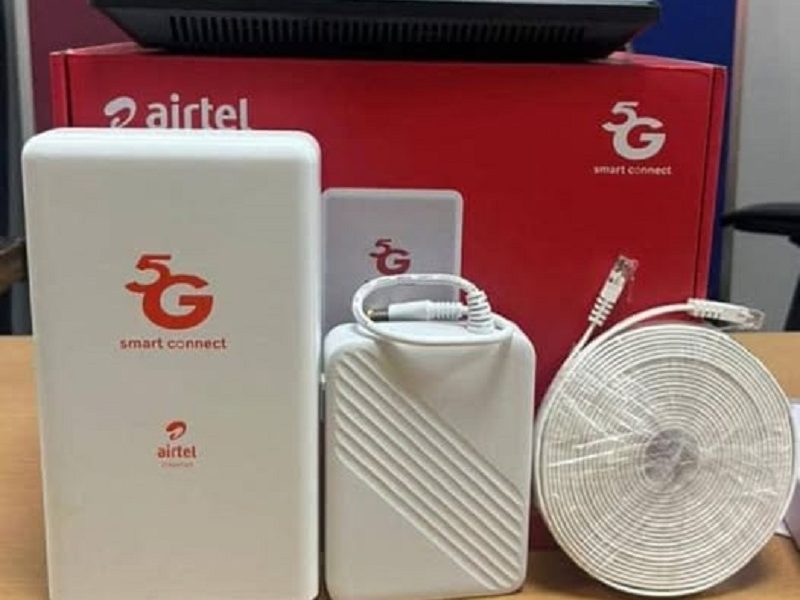
Slow, dropping or dead Airtel ODU internet is usually one of about four things, and they need completely different fixes. Work through these in order and you will know which one you are dealing with in a few minutes.
What You Actually Have Installed
Knowing how the thing works makes the troubleshooting make sense.
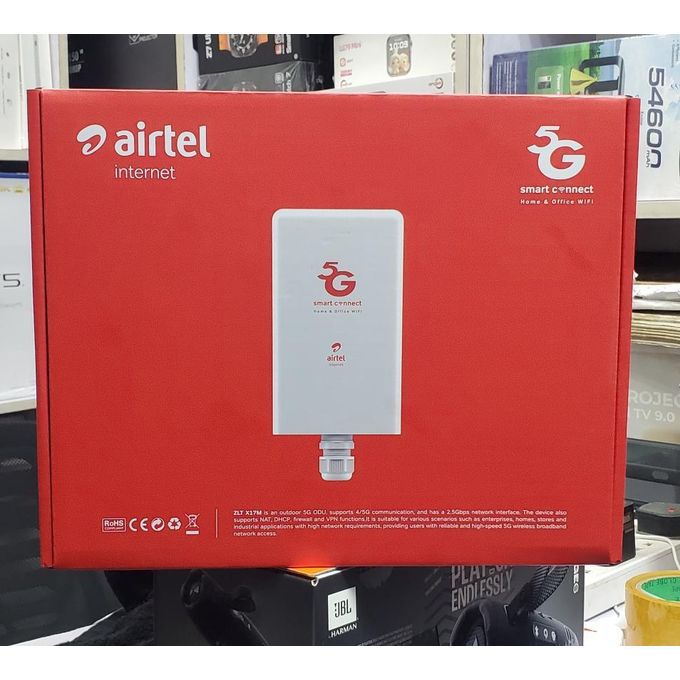
The Airtel SmartConnect ODU is a 5G outdoor router, mounted on an external wall, rooftop or pole so it sits where the signal is strongest. It connects back into the house through a single cable to an indoor power and network unit, which is what feeds your WiFi.
Three things about it are worth knowing before you start troubleshooting:
- It runs on 5G where Airtel has it and automatically drops to 4G LTE everywhere else.
- It supports up to 64 devices at once.
- It has built-in power backup that keeps it running for roughly five to six hours during an outage.
That last one changes how you should think about power problems, which is where most people start.
1. Check Whether It Has Dropped to 4G
This is the most common cause of “my ODU is suddenly slow” and the one almost nobody checks.
The unit switches to 4G automatically when 5G is unavailable or weak. It keeps working, so nothing looks broken, but your speeds fall sharply. A connection that was doing 50 Mbps on 5G can land somewhere in the teens on 4G.
Check the network mode in the admin panel or the Airtel app. Your login details are usually printed on a label on the unit itself.
If it has fallen back to 4G and stayed there, that is a coverage issue rather than a fault. Nigeria’s 5G footprint is still thin, so this happens more than Airtel’s marketing suggests. Our guide on checking whether your area has 5G covers how to verify what is actually available at your address.
2. Power Cycle the Whole Setup, Properly
Most people flick the router off and on. That is not the same thing.
- Unplug the indoor power unit from the wall completely.
- Wait a full three minutes. Not thirty seconds. This lets the outdoor unit fully power down and clear its session with the network.
- Plug it back in.
- Wait about five minutes before testing. The outdoor unit takes time to boot and reattach to the mast.
This alone resolves a large share of ODU problems, particularly after an outage or a network hiccup.
3. If It Dies Every Time the Light Goes

The ODU is meant to keep running for five to six hours on its own backup when NEPA goes.
So if yours cuts out the instant the power does, something is wrong beyond your electricity supply. Either the backup is not charging properly, the battery has degraded, or the indoor unit is not powered the way it should be.
Check that the indoor unit is plugged directly into a working socket rather than through a strip that gets switched off, and that the cable is seated firmly at both ends. If it is all connected properly and the backup still is not holding, that is a hardware fault worth reporting rather than something you can fix.
Frequent, violent power fluctuations do stress the unit over time. If your area gets a lot of that, running it through a surge protector or a UPS is worth the small cost. Our roundup of whether mini solar systems are worth it in Nigeria covers the bigger version of that problem.
4. Work Out Whether It Is Even Your Problem
Before you spend an hour on settings, rule out an Airtel-side outage. It takes two minutes.
- Put an Airtel SIM in your phone, turn WiFi off, and test mobile data. If that is also crawling, the problem is Airtel’s network in your area, not your ODU.
- Ask a neighbour on Airtel whether they are seeing the same thing.
- Check Airtel Nigeria’s social media pages, where outages usually surface quickly.
If it is an outage, nothing you do at home will help, and rebooting repeatedly just wastes your evening.
5. Count What Is Connected
The ODU handles up to 64 devices, which sounds like plenty until you count properly. Phones, laptops, smart TVs, CCTV cameras, and every device belonging to anyone who has ever had your WiFi password.
Log into the admin panel and look at the connected devices list. Two things to look for: anything you do not recognise, which means someone else is using your connection, and the total count, because even well below 64 devices you will feel it if several are streaming or downloading at once.
Change your WiFi password if you find strangers on there. Then set app and system updates to run overnight rather than during the day, since background downloads are the usual invisible culprit when everything feels slow at 8pm.
6. Move the Indoor Unit, Not the Outdoor One
If your speed test is fine right next to the unit but terrible in the bedroom, your internet is working and your WiFi coverage is the problem.
- Put it somewhere central and out in the open, not inside a cupboard or behind the TV.
- Raise it off the floor. Signal spreads outward and downward, not up through concrete.
- Keep it away from microwaves, cordless phones and large metal objects.
- Connect to the 5GHz band rather than 2.4GHz when you are in the same room, since it is considerably faster over short distances.
If the house is large or has thick walls, one unit genuinely may not cover it, and a mesh extender solves that properly where shuffling the router around just moves the dead zone.
7. Confirm Your Subscription Is Actually Active
Worth checking before anything technical, because it is a common and slightly embarrassing cause.
The SmartConnect plans are sold as unlimited, so this is rarely about running out of data. It is usually an expired monthly subscription, or fair usage throttling kicking in after heavy use in a billing cycle.
Check your status in the My Airtel app or by calling 300. If the connection was fine for three weeks and then became unusable without anything changing at home, throttling or an expired plan is the likeliest explanation, and no amount of rebooting will fix either.
8. Factory Reset, But Only Last
This wipes your WiFi name, your password and any custom settings, so treat it as a last resort rather than a step to try casually.
Find the small recessed reset button, hold it for about ten seconds with a pin, and wait for the unit to reboot fully. You will then reconnect everything using the default WiFi name and password printed on the device label.
Write down any settings you have customised before you do this.
9. Leave the Outdoor Unit Alone
This one matters, so it gets its own section.
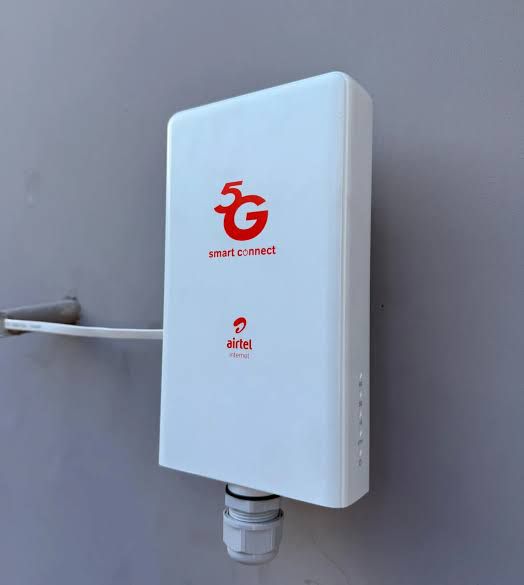
Airtel installs the outdoor unit professionally, and its position and angle were chosen to catch the best available signal from the nearest mast. Climbing up to adjust it yourself is unlikely to improve anything and quite likely to make it worse, on top of being a genuine fall risk depending on where it is mounted.
You can look at it from the ground. If it is visibly hanging loose, has shifted after a storm, or has something new growing or built in front of it, note that and tell Airtel. Do not touch it during a thunderstorm, and do not handle the cabling in the rain.
Realignment is part of what your subscription pays for. Use it.
When to Call Airtel
Dial 300 from an Airtel line, which is the standard customer care number across every Nigerian network now, or use the My Airtel app.
Call them if the unit shows no signal at all, if it was damaged by wind, rain or lightning, if it will not power on, if you are getting daily disconnections you have already rebooted through, or if the built-in backup is not holding during outages.
Ask specifically for a network refresh on your line and for an engineer to check the outdoor unit’s alignment. Get a complaint reference number before you hang up. If nothing happens after a few working days, that reference is what lets you escalate, including to the NCC’s consumer portal if it comes to that.
If It Never Really Works Well
Sometimes the honest answer is that your address does not get enough Airtel signal for the ODU to shine, and no amount of troubleshooting changes that.
If you have worked through everything here and you are still stuck on 4G speeds with regular drops, it is worth pricing up the alternatives before renewing. Our comparison of the cheapest unlimited WiFi plans in Nigeria covers what else is available, and our guide on fixing slow home internet has troubleshooting that applies across any provider.
Check the network mode first, then do a proper three minute power cycle, then rule out an Airtel-side outage with your phone. Those three steps catch most of it, and they cost you nothing but ten minutes.








Join the conversation