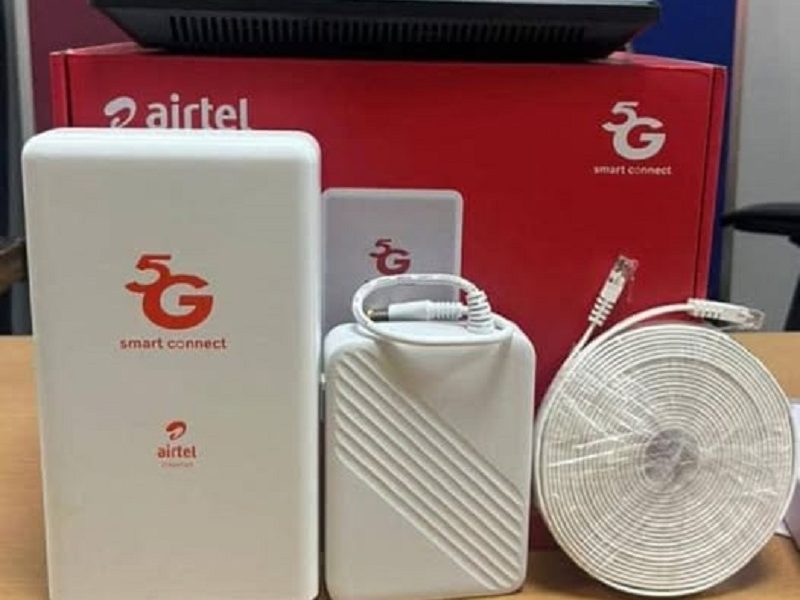
If your Airtel ODU (Outdoor Unit) internet is slow, disconnecting, or not working at all, you are not alone. Many users face this issue, especially during bad weather, power fluctuations, or network congestion.
The good news is that most Airtel ODU problems can be fixed at home without calling a technician. Below is a clear, step by step guide to help you troubleshoot and restore your connection.
First, Understand What the ODU System Is
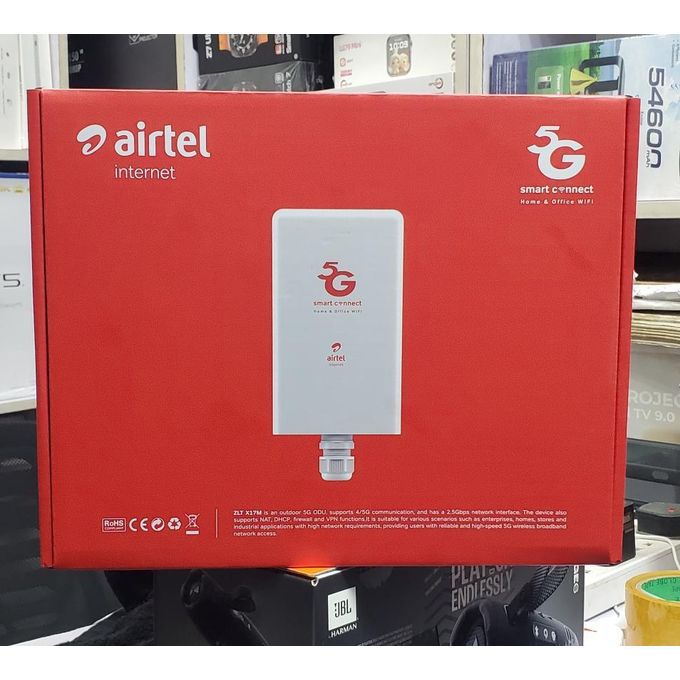
Airtel ODU is made up of two main parts:
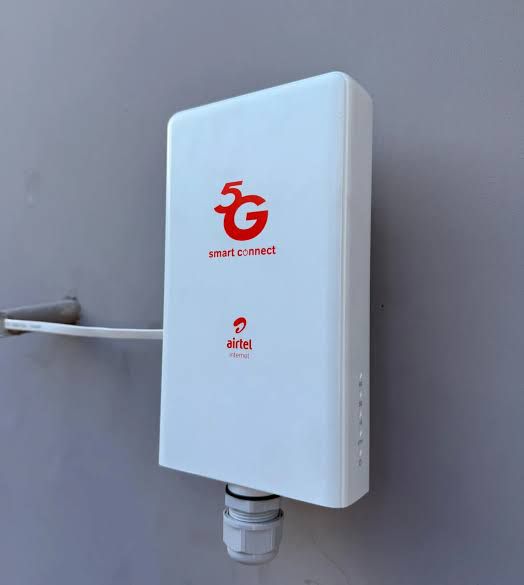
The outdoor unit mounted outside your house
The indoor router inside your home
The outdoor unit receives the signal, while the indoor router distributes internet through WiFi or LAN. If either part has an issue, your connection will suffer.

1. Check the Power Supply
This is the most common cause of ODU problems in Nigeria.
Make sure:
Your indoor router is powered on
The ODU power injector is plugged properly
There is stable electricity (or your inverter is working well)
If your lights blink off and on frequently, the ODU may lose connection.
Quick fix:
Turn off the router and power unit
Wait for about 2 minutes
Turn everything back on
This simple reboot fixes many Airtel ODU issues.
2. Look at the Signal Indicator Lights

Your Airtel router usually shows signal strength using indicator lights.
If you notice:
1. Red light or no signal
2. Constant blinking without stabilizing
3. Very low signal bars

Then the outdoor unit may not be receiving strong network coverage.
What you should do:
1. Check if something is blocking the outdoor dish
2. Ensure the ODU is still firmly mounted
3. Make sure it is still facing the original direction
Strong winds sometimes shift the outdoor unit slightly, which can weaken the signal.
3. Restart the Entire ODU Setup Properly
Many people restart only the indoor router. For Airtel ODU, you must restart both parts.
Do this instead:
1. Unplug the router
2. Unplug the ODU power injector and wait at least 3 to 5 minutes
3. Plug the injector first then power the router ON
Give it about 5 minutes to reconnect fully.
4. Check for Network Outage in Your Area
Sometimes the problem is not from your device at all.
Airtel may be experiencing:

1. Network maintenance
2. Temporary outage
3. Congestion in your area
Before stressing yourself too much, confirm:
• By Asking neighbors who are using Airtel ODU if they’re experiencing the same thing
• Check Airtel Nigeria social media pages
• Try your Airtel SIM on phone data to compare
If mobile data is also slow, the issue is likely from Airtel’s network.
5. Reduce Too Many Connected Devices
ODU routers can slow down badly when too many devices are connected.
So, If you notice that your:
1. Internet works but is very slow
2. Video keeps buffering
3. Speed drops at night
Then your network may be overloaded.
Quick fixes:
• Disconnect unused devices
• Change your WiFi password
• Limit background downloads
• Move closer to the router
6. Reposition the Indoor Router
Sometimes the internet is working fine, but the WiFi signal inside the house is weak.
For best performance, try to:
• Place the router in a central open location
• Avoid putting it inside cupboards
• Keep it away from thick walls and metal objects
• Raise it slightly above ground level
This improves WiFi coverage significantly.
7. Check Your Data Plan Status
Many users panic when the real issue is exhausted data.
Try to Confirm if:
• Your data bundle is still active
• Your subscription has not expired
• Fair usage policy has not throttled your speed
You can check these via:
My Airtel App
USSD code
Airtel customer care
8. Reset the Router (Only If Necessary)
If nothing else works, you can perform a factory reset.
Important warning tho:
This will remove your custom settings and WiFi name.
To reset:
Locate the small reset hole on the router
Press and hold for about 10 seconds
Wait for the router to reboot
Please… Use this only as a last resort.
9. When to Call Airtel Support
Contact Airtel if:
• Your ODU shows no signal at all
• The outdoor unit was damaged by wind, thunder or rain
• You have repeated disconnections daily
• The device refuses to power on
So that Airtel may need to:
Realign your outdoor unit
Replace faulty hardware
Refresh your line from their end
That should be it
Most Airtel ODU connection problems in Nigeria are caused by power issues, weak signal alignment, or network congestion. Before calling support, always try basic troubleshooting like rebooting the system, checking signal lights, and confirming your data plan.
If your area has strong Airtel coverage and your ODU is properly aligned, the connection should be stable most of the time.
Don’t want to miss the best from GuidesCafe?
- Set us as a favorite source in Google Discover to see our latest updates first.
- You can also add us as a preferred source in Google Search by clicking the button below.
 Add as a preferred source on Google