

Forgetting your phone password can be a very frustrating thing, especially in Nigeria, where access to repair centers or specialized unlocking tools may be limited and expensive.
That’s why I’ve made this guide to cover proven methods to unlock Android and iOS devices without a password, And it works for almost all Samsung, Tecno, iPhone, or Infinix devices, these solutions will help you regain access back to your phone in no time. Let’s get straight to it.
Things to Consider Before Unlocking
- Data Loss: Most methods erase data unless backups exist (e.g., Google Drive, iCloud) .
- FRP Lock: Android devices require Google account verification after a factory reset .
- Device Age: Older Android models (pre-2018) may support legacy unlock methods like ADB or secret codes .
- Local Support: Nigerian repair shops like Slot Nigeria or Pointek offer professional unlocking services for ₦5,000–₦20,000, depending on the device .
Unlocking Android Phones
1. Use Google Find My Device (Free, Requires Internet)
This method will only work if your phone was linked to a Google account and had “Find My Device” enabled before it became locked.
Steps:
- Visit Google Find My Device on a PC or another phone.
- Log in with the Google account linked to the locked device.
- Select Erase Device > Confirm to reset the phone remotely .
Pros: Free, no apps needed.
Cons: Erases all data; requires prior setup .
2. Samsung Find My Mobile (Samsung Only)
Samsung users can easily bypass passwords by using their Samsung account:
Steps:
- Visit Find My Mobile and log in.
- Select Unlock > Confirm.
- The phone will reboot without a password .
Note: Requires the phone to be connected to the internet.
3. Use ADB Commands (Tech-Savvy Users)
If USB debugging was enabled, then use ADB to remove the password file:
Steps:
- Connect the phone to a PC via USB.
- Open Command Prompt and enter:
bash adb shell rm /data/system/gesture.key - Reboot the device .
Pros: No data loss.
Cons: Requires technical skill; USB debugging must be enabled.
4. Secret Codes (Older Android Models)
Some older phones (e.g., Tecno Spark 5, Infinix Hot 8) will respond to USSD codes, so you should try using these codes below:
- *2767*3855#: Full factory reset (erases data).
- *##7780##*: Soft reset (retains some data) .
*Note*: Codes may be different for each brand and are unreliable for newer phone models.
5. Third-Party Tools (Paid, No Data Loss)
Tools like DroidKit or Dr.Fone can bypass passwords without a reset, so try them out below:
Steps:
- Download the software on a PC (e.g., DroidKit).
- Connect the phone and follow prompts to remove the lock .
Cost: ₦8,000–₦15,000 for licensed software.
Pros: Works on 99% of Android devices; no data loss .
6. Factory Reset via Recovery Mode (All Android)
Steps:
- Power off the device.
- Press Volume Up + Power (varies by brand) to enter Recovery Mode.
- Select Wipe Data/Factory Reset .
Post-Reset: Sign in with the original Google account to bypass FRP .
Unlocking iPhones
1. Use iTunes/Finder (Requires PC/Mac)
Steps:
- Connect the iPhone to a computer with iTunes/Finder.
- Enter Recovery Mode:
- iPhone 8+: Press Volume Up > Volume Down > Hold Side Button.
- iPhone 7: Hold Volume Down + Side Button.
- Click Restore to erase the device .
Note: Requires Apple ID password post-reset.
2. iCloud Erase (Internet Required)
Steps:
- Visit iCloud and log in.
- Select Find My > Erase iPhone .
Pros: Remote access.
Cons: Erases all data; requires Apple ID.
3. Third-Party Tools (e.g., TunesKit)
Steps:
- Download TunesKit iPhone Unlocker on a PC.
- Connect the iPhone and follow prompts to bypass the passcode .
Cost: ₦12,000–₦20,000.
Nigerian-Specific Tips
- Affordable Repair Shops: Visit Computer Village (Lagos) or Wuse Market (Abuja) for cheap unlocking services (₦3,000–₦10,000) .
- Data Costs: Use Wi-Fi at cafes or offices for remote methods to avoid high mobile data charges.
- FRP Bypass Services: Local shops often bypass Google FRP locks for ₦5,000–₦8,000 .
FAQs: Unlocking Phones in Nigeria
1. Can I unlock my phone without losing data?
- Android: Use DroidKit or Samsung’s Find My Mobile .
- iPhone: Only possible with iCloud/iTunes backups .
2. How to bypass FRP lock in Nigeria?
- Visit a repair shop or use FRP bypass tools like DroidKit .
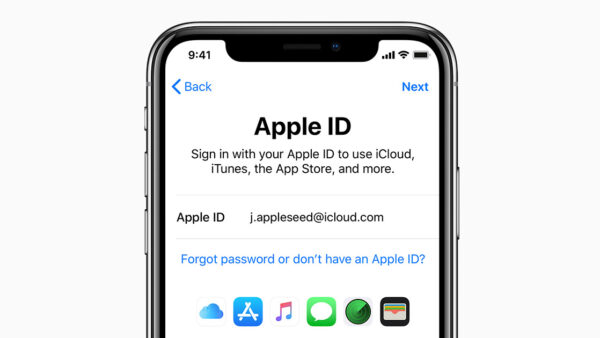
3. What if I forgot my Apple ID?
- Use Apple Support App or visit an Apple-authorized store in Lagos/Abuja .
4. Are secret codes safe?
- Risky; may corrupt the OS. Use only as a last resort .
5. How to avoid future lockouts?
- Enable biometrics (fingerprint/face unlock).
- Use password managers like Google Smart Lock .
My Final Recommendations
| Scenario | Best Method | Cost |
|---|---|---|
| Android + Data Backup | Google Find My Device | Free |
| Android (No Backup) | DroidKit | ₦8,000–₦15,000 |
| Samsung Phone | Find My Mobile | Free |
| iPhone + Apple ID | iCloud Erase | Free |
| iPhone (No Apple ID) | TunesKit iPhone Unlocker | ₦12,000–₦20,000 |
For urgent cases, visit Slot Nigeria or Pointek branches nationwide for professional assistance. Always back up data to Google Drive, iCloud, or a local SD card to minimize losses.
Need more help? Comment below with your phone model!


Join the conversation