

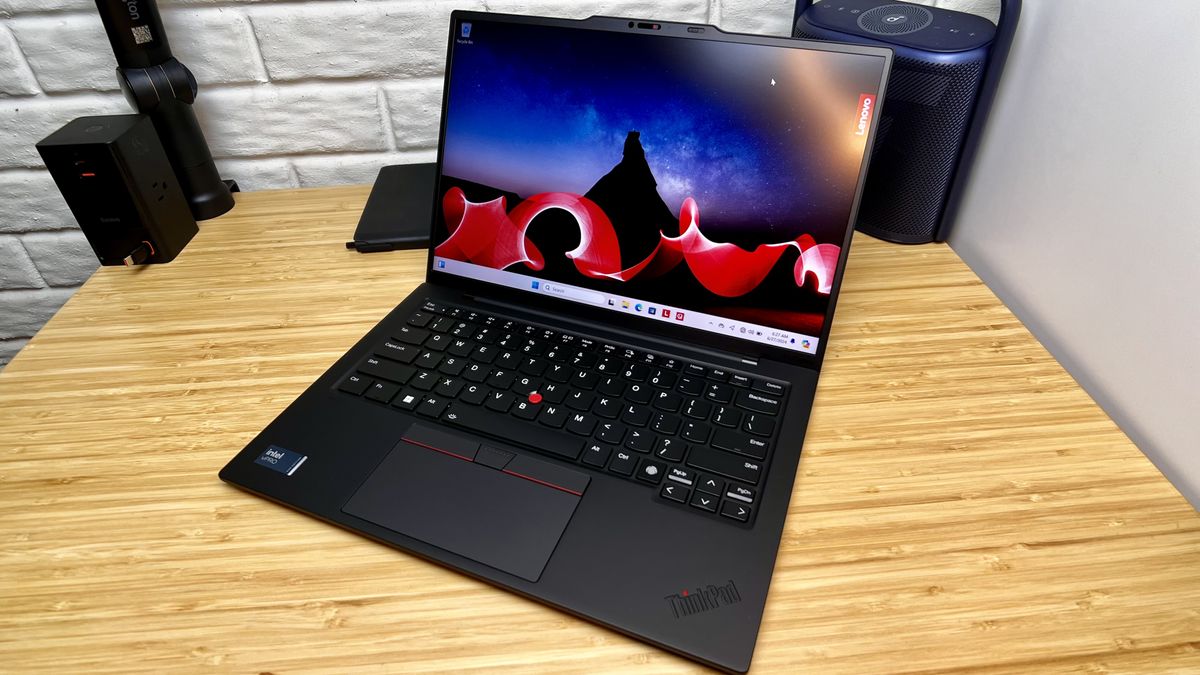
Ask around among Nigerian developers and the same name keeps coming up. ThinkPads aren’t beautiful and they don’t try to be. They’re work machines, and they keep working long after prettier laptops have started to fall apart.
But “get a ThinkPad” isn’t advice on its own. The model matters enormously, and two ThinkPads that look nearly identical can be very different once you try to add RAM or install Linux.
Some links in this article are affiliate links. If you buy through them we may earn a small commission at no extra cost to you.
Why Developers Keep Choosing Them
The keyboard is the honest headline. If you type for six hours a day it’s the thing you’ll appreciate most, and nothing else in this price bracket comes close.
Beyond that, the build genuinely survives being carried around, parts are widely available so repairs are cheap, and Linux support is exceptional. ThinkPads are the machines Linux developers have used for two decades, which means driver problems on Ubuntu or Fedora are rare and well documented when they do happen. If you’re setting up a dev environment on Linux, that alone saves you a weekend.
What Coding Work Actually Needs
Four things, in this order.
8th generation Intel or newer. This is the cutoff for official Windows 11 support, and Windows 10 stopped receiving security updates in October 2025. Read it from the model number: an i5-8250U is 8th gen, an i5-7200U is 7th.
16GB of RAM, or a clear path to it. 8GB is survivable for web development. Once you’re running Docker containers, a database, an emulator or two VS Code windows with language servers going, 16GB stops being a nice-to-have. This is why the RAM slot situation below matters so much.
SSD, 256GB minimum. 512GB if you keep multiple projects and Docker images locally, because those fill space faster than anything else you’ll install.
A Full HD screen. Plenty of ThinkPads shipped with 1366 x 768 panels, and they’re painful for code. You want 1920 x 1080. This is one of the most common regrets, and it’s worth asking about specifically because sellers rarely mention it.
ThinkPad T480: The One to Get
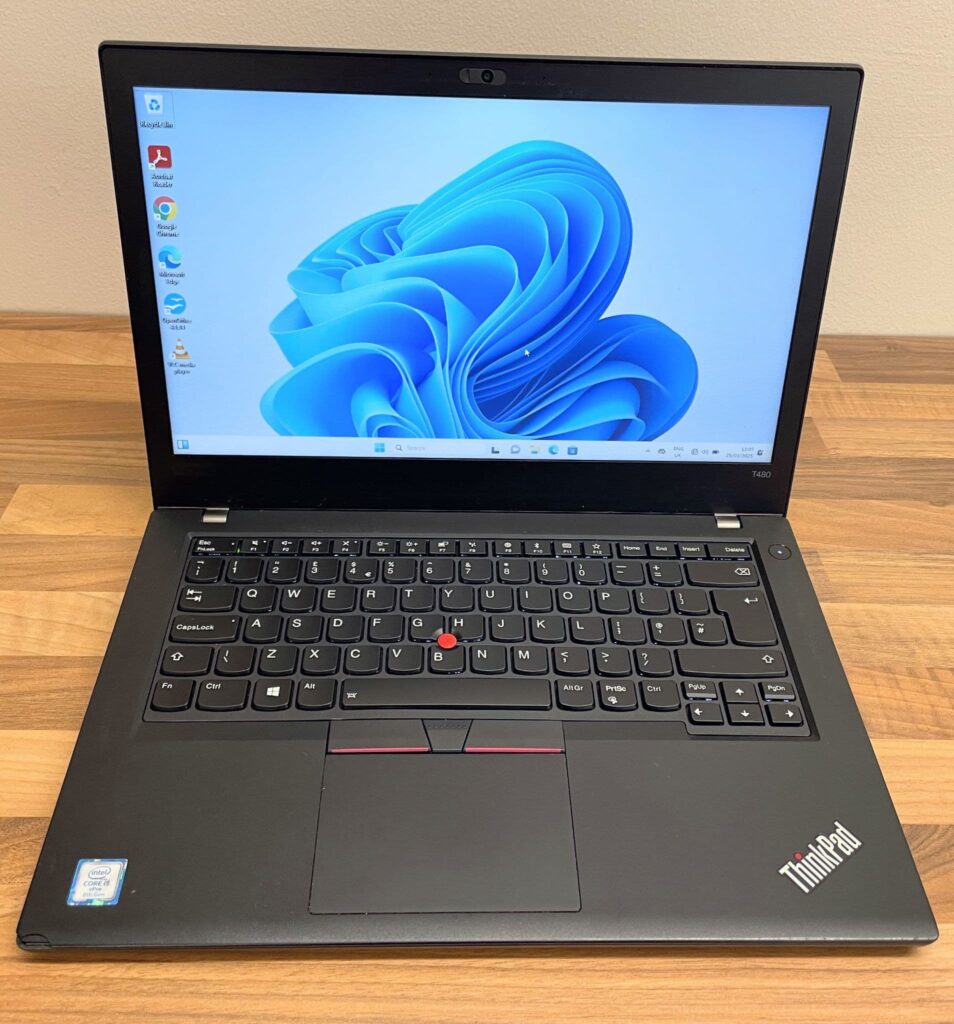
If you buy one machine off this page, buy this one. It’s the model Nigerian developers recommend most, and the reasons are practical rather than sentimental.
Two RAM slots. Nothing is soldered, so you can start at 8GB and take it to 32GB later as your budget allows. Almost every newer ThinkPad has moved away from this, which is exactly why the T480 has held its value.
Power Bridge dual battery. There’s an internal battery plus a removable external one, and you can hot-swap the external without shutting down. Carry a charged spare and you effectively double your runtime. For anyone coding through NEPA outages, this is the single most underrated feature on any laptop in this price range.
8th generation processor, so Windows 11 runs officially, and it handles web development, mobile app development and light machine learning without complaint.
Aim for a Core i5 or i7, 16GB, 256GB SSD and an FHD screen. If you find one at 8GB, that’s fine, because you can add the rest yourself for far less than the price difference.
You can browse ThinkPad T series options on Shopinverse to compare configurations against what you’re being quoted locally.
ThinkPad T490: Newer, With a Catch
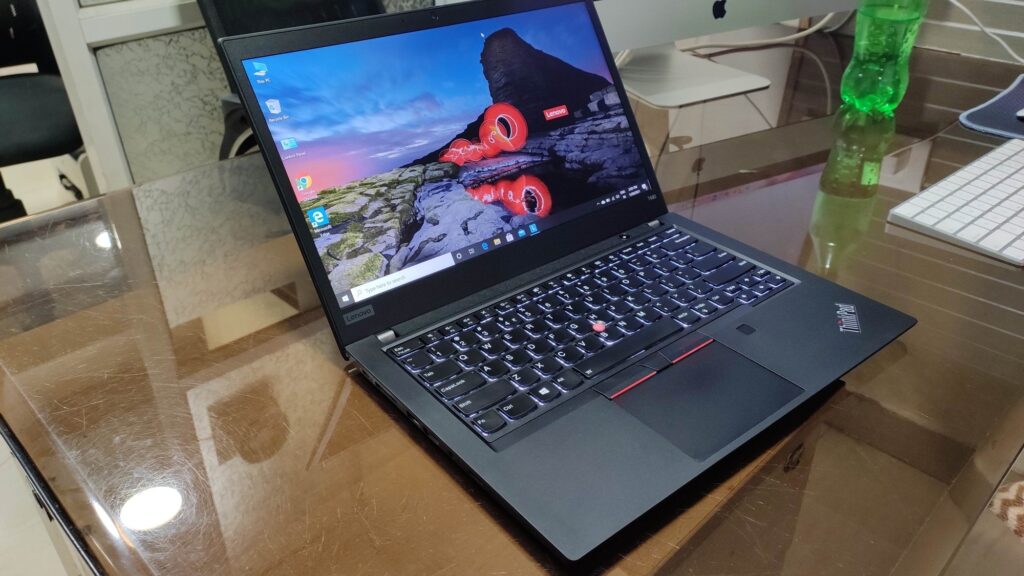
The T490 is the T480’s successor and it’s better in the ways you’d expect. More power efficient, quieter, slimmer, better display options. If you travel or work from cafés, it’s the nicer machine to carry.
The catch is memory. Some RAM is soldered to the board and there’s only one accessible slot, though that still takes you up to 40GB or 48GB depending on configuration. That’s plenty for most work, so it’s not a dealbreaker.
What is annoying is the servicing. The bottom cover is held by screws plus a lot of plastic clips, and opening it is genuinely fiddly. Doing your own upgrades is harder than on the T480, and getting it closed again without a gap takes patience.
The Power Bridge dual battery is also gone, replaced by a single internal battery.
The T490s Trap
Worth knowing before you go shopping, because the naming misleads people.
The “s” models are slimmer and usually cost more, so they look like the premium option. On the T490s specifically, the RAM is entirely soldered. Whatever it ships with is what you have forever. It also drops the full-size Ethernet port.
If you find a T490s already at 16GB and portability matters more to you than upgrading, it’s a lovely machine. If you’re buying at 8GB planning to add more later, you can’t. Check the configuration before you pay, not after.
The older T480s has the same limitation in milder form, capping at 24GB.
If Your Budget Stretches Further
ThinkPad T14 (Gen 1 or 2). The T490’s successor, with 10th or 11th generation processors and AMD Ryzen options that are genuinely strong for the money. Intel versions keep a RAM slot; check before buying, since some AMD configurations are fully soldered.
ThinkPad X1 Carbon (Gen 6, 7 or 8). The one to want if you carry your laptop everywhere. Extremely light, excellent screen, superb keyboard. RAM is soldered, so buy it at 16GB and be done. Best suited to front-end and web work rather than anything heavy.
ThinkPad P52 or P53. Mobile workstations with dedicated Quadro graphics, four RAM slots and support for very large memory configurations. Overkill for most web development, and the right answer if you’re doing machine learning locally or heavy data work. They’re big and heavy, and they get hot.
Older ThinkPads, and Why to Think Twice
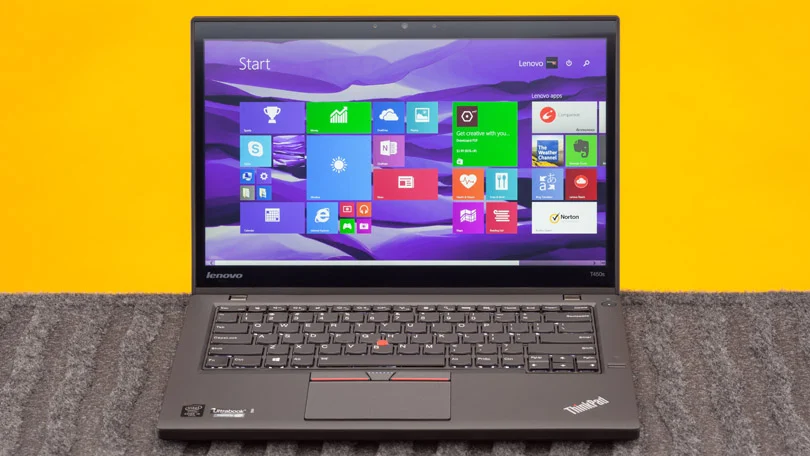
The T440 and T450 are everywhere in the Nigerian market and very cheap, which makes them tempting for anyone just starting out.
They’re 4th and 5th generation machines, which puts them below the Windows 11 cutoff. That means no official upgrade path, and no security updates now that Windows 10 support has ended. For a laptop you’ll be putting source code and credentials on, that’s a real consideration rather than a technicality.
They also feel slow with modern tooling. VS Code with a few extensions, a Node process and a browser open will make an older i5 struggle in a way you’ll notice all day.
If your budget genuinely stops there, one of these running Linux is still a workable way to learn, and Linux will handle the hardware better than Windows will. Just go in knowing it’s a stepping stone, and put the money you save toward a T480 sooner rather than later.
What to Avoid Outright
- Celeron or Pentium ThinkPads. They exist, mostly in the E and L budget lines. They are not development machines.
- Anything with an HDD. An HDD makes a Core i7 feel a decade old. Non-negotiable.
- 4GB RAM with no free slot. Check the slots before assuming you can fix it later.
- 1366 x 768 screens. Cheap for a reason, and painful for code.
- E-series ThinkPads. The budget line, built to a lower standard than the T, X and P series. They carry the name without the build.
Buying One Without Regret
Computer Village and similar markets work if you know how to inspect properly, and the ability to test before paying is a genuine advantage.
Ask for the full model number, confirm how many RAM slots are free, check the screen resolution, and run the battery report before you pay. Our guide on what to check before buying a UK used laptop walks through each of those with the actual commands, and what a good UK used laptop costs in Nigeria gives you the price bands to judge a quote against.
If you’d rather not do that inspection yourself, buying from a store that tests units and offers a short warranty is the safer route. You can browse tested ThinkPad laptops on Shopinverse, and coupon code CHRISTOPHEREBEH gives you 5 percent off at checkout. Apply it before payment.
Get a T480 with 8th gen, an FHD screen and at least one free RAM slot, and you’ll have a machine that carries you through several years of work and can be upgraded as you grow. That’s a better outcome than a newer, thinner laptop you can never change.







Join the conversation